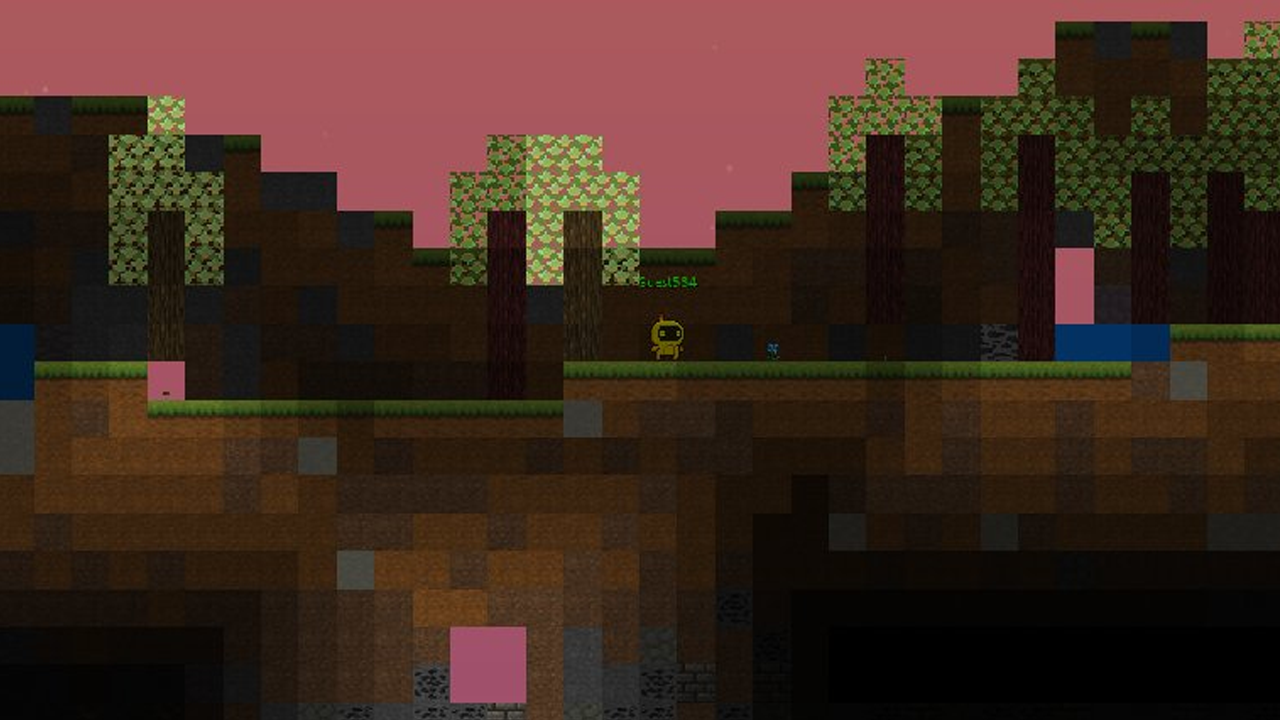
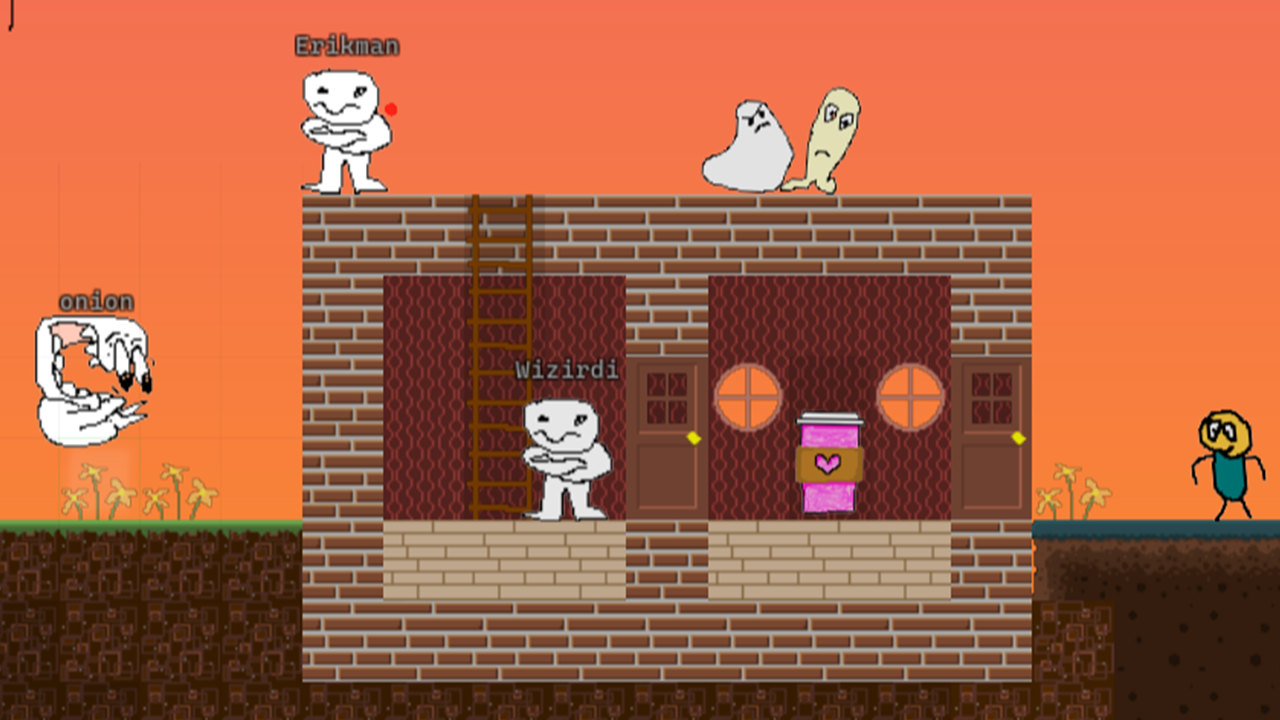
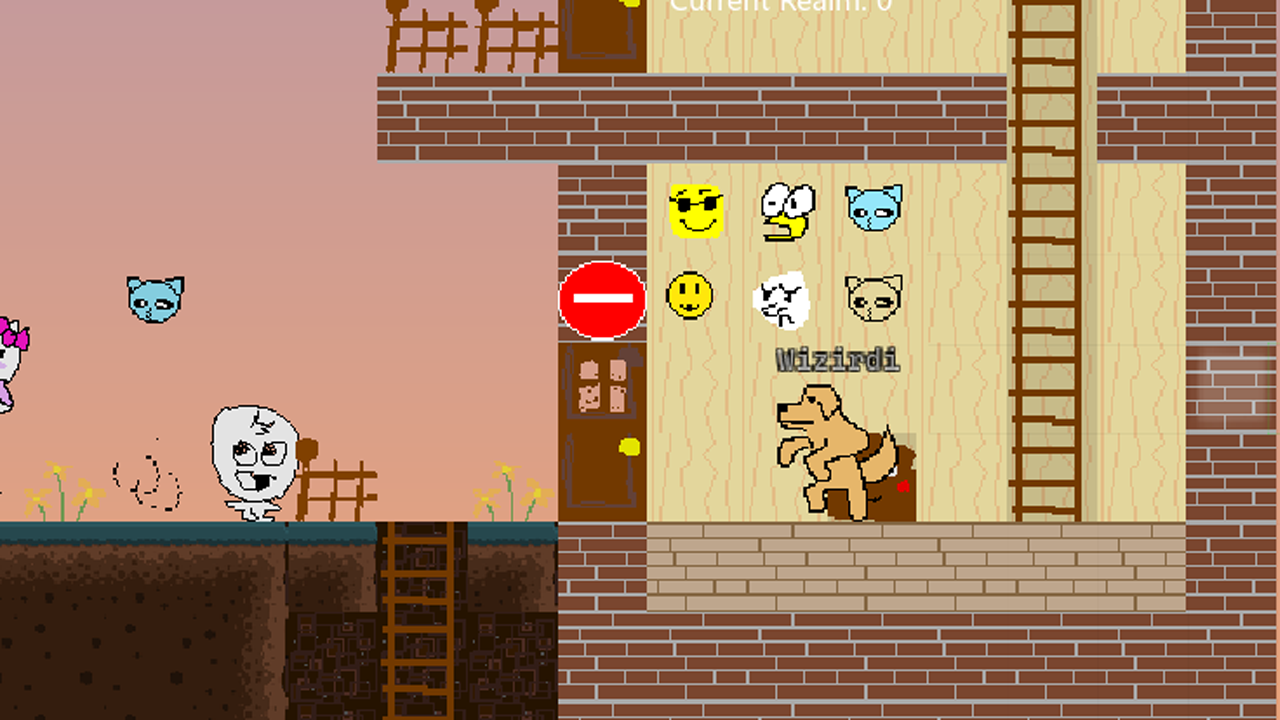
v0.2.1 Changelog | February 5th, 2026
This update focuses on a major internal world & chunk system refactor,
performance improvements, faster interactions, and foundational work that unlocks
controller and mobile support in the future.
🌍 WORLD & CHUNK SYSTEM REFACTOR
This is one of the most important under-the-hood updates so far.
- Fully revamped realm saving, loading, and chunk streaming
- Empty chunks are no longer generated or sent to clients
- Fixed long-term lag caused by excessive cached chunks
- World traversal and loading should now feel significantly smoother
🧱 BLOCKS & CREATIONS
- Fixed a crash that could occur when using Drum instrument creations
- Placing and removing blocks is now faster and more responsive
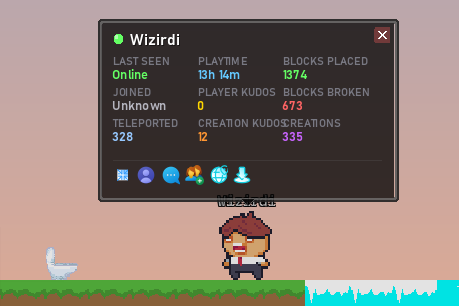
- Right-click blocks, players, or NPCs to view detailed information
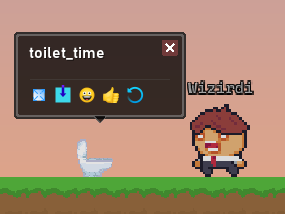
💬 CHAT UPDATES
- In-game chat is now mirrored live to Discord in #ingame-chat
- New in-game chat font
- Misc chat improvements and bug fixes
✨ NEW FEATURES
-
Global Build Platform:
A new ground platform now spans the entire world map, giving players a massive,
shared space to build, experiment, and collaborate.
-
Input / Control Layer System (Huge):
Added a dedicated keybind and control abstraction layer.
This lays the groundwork for future controller support and
Android / iPhone support.
🧰 HOTBAR & GUI UPDATES
- Hotbar received numerous fixes and usability improvements
- Creation Menu now includes the hotbar inside the menu
- New tooltip system when hovering UI elements
-
Left-clicking players, NPCs, and blocks now opens a new info window
(hold CTRL + left-click to access the legacy view)
- Buttons previously attached to the hotbar have been moved to the bottom-right of the screen
- Minor layout and usability tweaks to the Inventory Menu
- New visual designs for the Emoji Menu and Layer Menu
v0.2.0 Changelog | January 17th, 2026
This is a major update that adds Audio Creations, player-made NPCs with advanced behaviors, new instrument creation types, configurable FPS, and significant performance and networking improvements.
AUDIO CREATIONS & SOUND EFFECTS
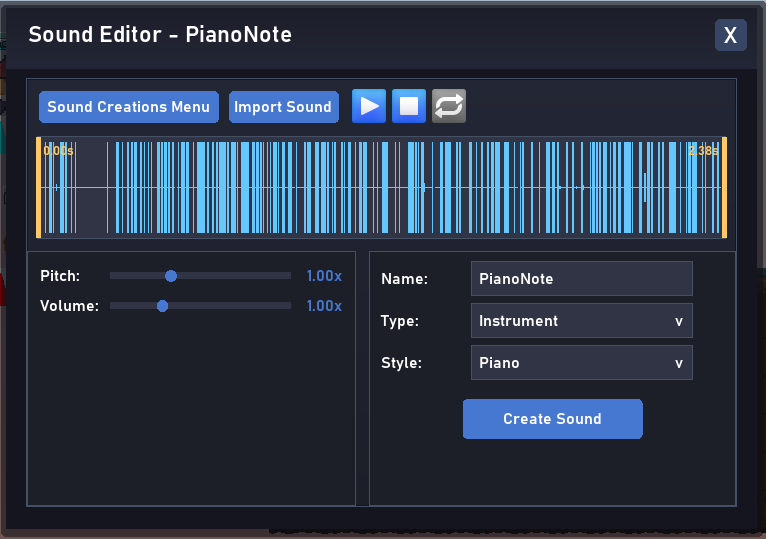
Players can now import their own sound effects
- New Audio Menu and Audio Editor
- Skin and Instrument Creations can now have custom sound effects that others can hear
- You can now hear other players sound effects (jump, walk, etc), before 0.2.0 you couldn't.
NPC CREATIONS
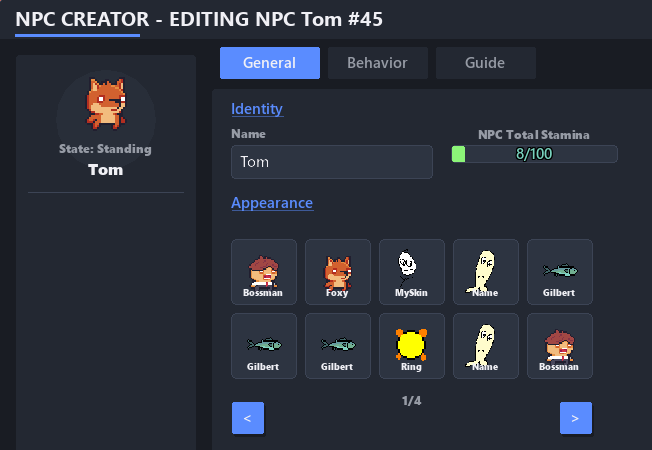
Players can now add their own custom NPC's to the gameworld!
- New NPC Menu and NPC Editor
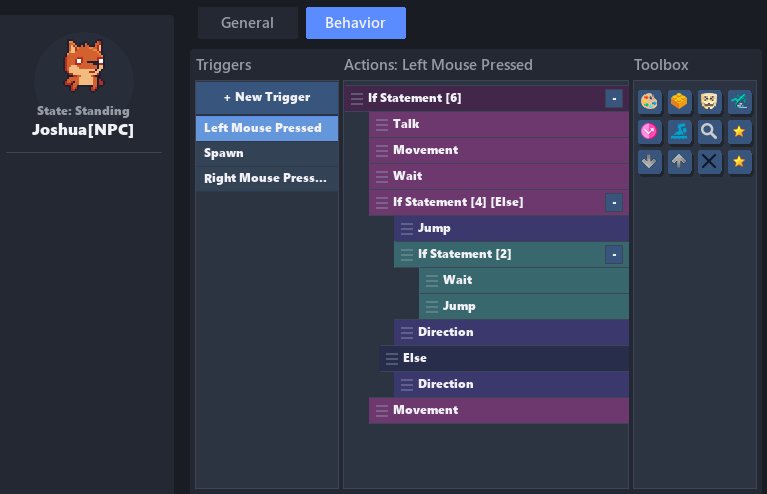
- Behavior Editor that allows the user to give NPC's advanced actions when triggered.
- 8 Triggers which can do up to 23 different Actions
- Variable system, timers, if/else statements & mini script language
NEW CREATION TYPES & CHANGES
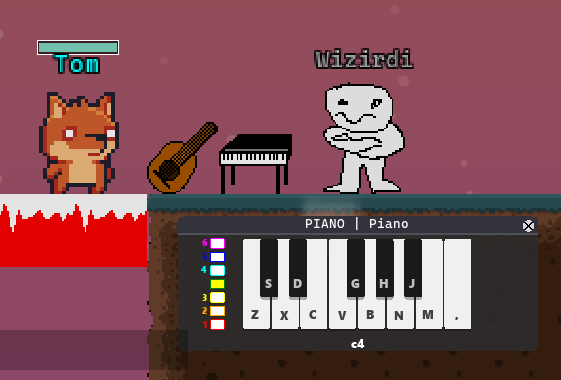
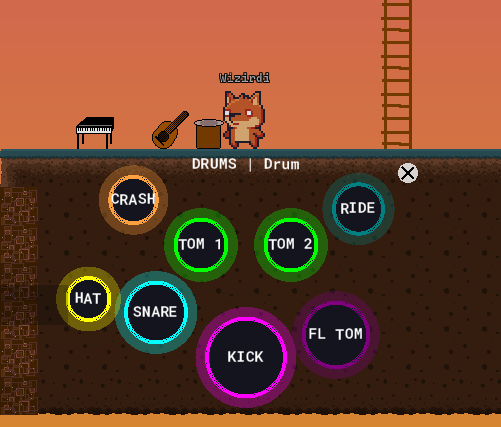
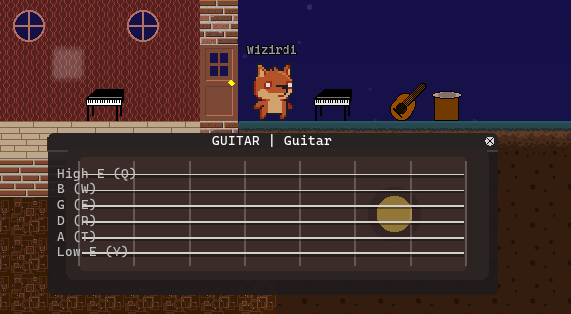
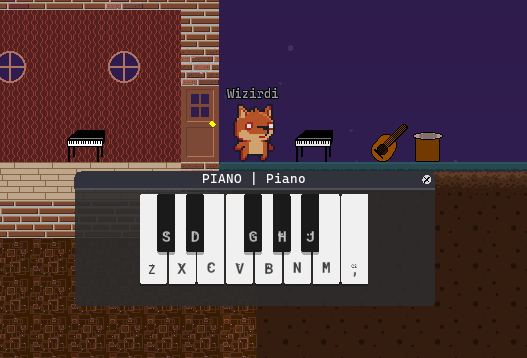
- NEW CREATION TYPE: Instruments! You can create a guitar, drum or piano. Each of them function in a unqiue way. You can use your own custom sound effects for each instrument.
- GUITAR: 6 Sound Instrument, you can change the pitch with number keys
- PIANO: One sound instrument that automatically changes the pitch.
- DRUMS: 8 Sound Instrument, no pitch change
- Before 0.2.0 the animation speed in the Creation Editor did not match the in-game sped. This has been fixed.
- You can now create animations up to 60fps. Changed from the 0.1 - 1 Speed option to 1-60 FPS
- You can now change the FPS for everything (other than skins) within the Creation Menu. You can change blocks and skins FPS within the Creation Editor.
COLLISION MAPPING
Before 0.2.0, the collision maps were generated by the clients when the player loaded in a creation. This caused a lot of lag. Now it's pre-generated and loaded into the game for the player. This reduces lag signifyingly since it doesn't have to regenerate the collision map everytime you play. So the gameworld should load faster.
MISC / OTHER CHANGES
- Block Selecting has been improved. If there's no block on the layer you have selected, it'll select the block the furthest layer up.
- Removed "Realms" menu until it's feature complete.
- Creation Editor now will make Skin States share the same FPS instead of individual animation speeds
- Still only send movement packets when players are near eachother.
- Removed the white fade in at the start of the game
- Misc networking code and server improvements
v0.1.9.1 Changelog | December 1, 2025
In this update, I went through things that felt bad or off and tried to smooth them out, while also squashing various bugs and issues. Thank you to everyone who is playing and supporting Heartlands – please also consider supporting on Patreon. Something very special is coming soon for supporters!
Hotbar:
- You can now use the hotbar while a Creation/Player Info window is open.
Creation Editor:
- Hold ALT to quickly use the Eye Dropper tool.
- Added several new cursors for each of the tools.
- You can toggle the Windows mouse cursor in the Edit menu.
- Renamed the Creation Menu button to Start New Creation.
Creation / Player Info Window:
- Player stats now refresh after you click on a player.
- Creations now refresh their stats and name so you don’t need to restart your client to see the latest kudos/views/renames/etc.
- Added a Refresh button to both block and player info windows.
- The Creation/Player Info window will now hide itself when you open other windows, chat, or dropdowns so it doesn’t conflict.
- Removed the Add to Hotbar button from the Creation window – just use Add to Inventory instead.
- Send Private Message button now works.
- User profiles should load faster.
Top Bar:
- Various new context icons now appear over players’ heads for the different menus.
Leaderboards:
- Latest Creations/Skins will no longer show edit versions of a creation.
- Fixed the 2nd place color in leaderboards.
- Leaderboards now update every hour instead of only on server restart.
- New Creations/Skins will refresh, so you don’t have to restart the client to see the latest changes.
- Added a Refresh button to the leaderboards.
Misc:
- Improved respawning text to be clearer and more readable.
- Fixed login menu text appearing faded after clicking Back from Login or Create Account.
- Fixed login menu title text fading completely away after mousing over the Back button.
- Other players now stand instead of appearing to fall when you first spawn in (still need to fix ladder/water graphics so they display the correct pose).
Server & Networking Fixes:
- Fixed a major issue where chunk packets were being sent to all players instead of only to the ones who needed them. 🤦♂️
- Fixed an issue where a player could log into the same account twice.
- Added a server-side scheduler to better manage regular tasks (rebuilds leaderboards every hour, flushes stats, etc.).
- Updated the disconnection screen so it’s more obvious when you’ve lost connection to the server.
v0.1.9 Changelog | November 24, 2025
New Features:
- SLOPES: Players can now run and slide up and down slopes.
- SPECTATE: New Spectator Mode (CTRL + F) lets you freely explore the world.
- STATS: Added stats for Blocks Placed, Blocks Broken, Creations, and Teleported.
- PLAYER PROFILES: View other players' stats and see all their creations from their profile.
- NEW TOP BAR: Move your mouse to the top of the screen to reveal the new top bar.
- WARP ANIMATION: New animation plays when you respawn or teleport.
- PLAY AS GUEST: If you're not logged in when you start, you’ll join the game as a guest.
Creation Versioning:
- Every time you edit a creation, it now keeps track of versions.
- Hotbar and inventory items show a version indicator in the top-right corner:
- White: The creation has never been edited.
- Green: This is the latest version.
- Orange: This is an older version.
Creation Info Window:
- Updated design with more detailed information.
- Now shows version, creation ID, canvas size, frame count, animation speed, and more.
- Displays when the creation was made and when it was placed.
- Added a Rotate button so you can rotate blocks.
Creation Menu Updates:
- Moved creation details to the right.
- Menu is now responsive to the window size and will display more creations for bigger windows.
- New filter dropdown added to see all creation categories.
- A lot of new details and stats added
- Ability to RENAME your creations more easily
- Ability to wear a skin from creation menu
- Misc other fixes and smaller features added
Top Bar Overhaul:
- Player List: Player/Friends list is now integrated into the top bar.
- Notifications: New notification area in the top-right — see when players give you kudos or use your blocks.
- Messenger: Messenger icon added (feature coming soon).
Leaderboard & Latest Creations:
- Press the Leaderboards icon on the top bar to open menu
- Latest Creations: See the latest creations made by players.
- Latest Skins: Browse the latest skins.
- Leaderboards: Three new leaderboards to climb.
- Newest Players: See the newest players joining Heartlands.
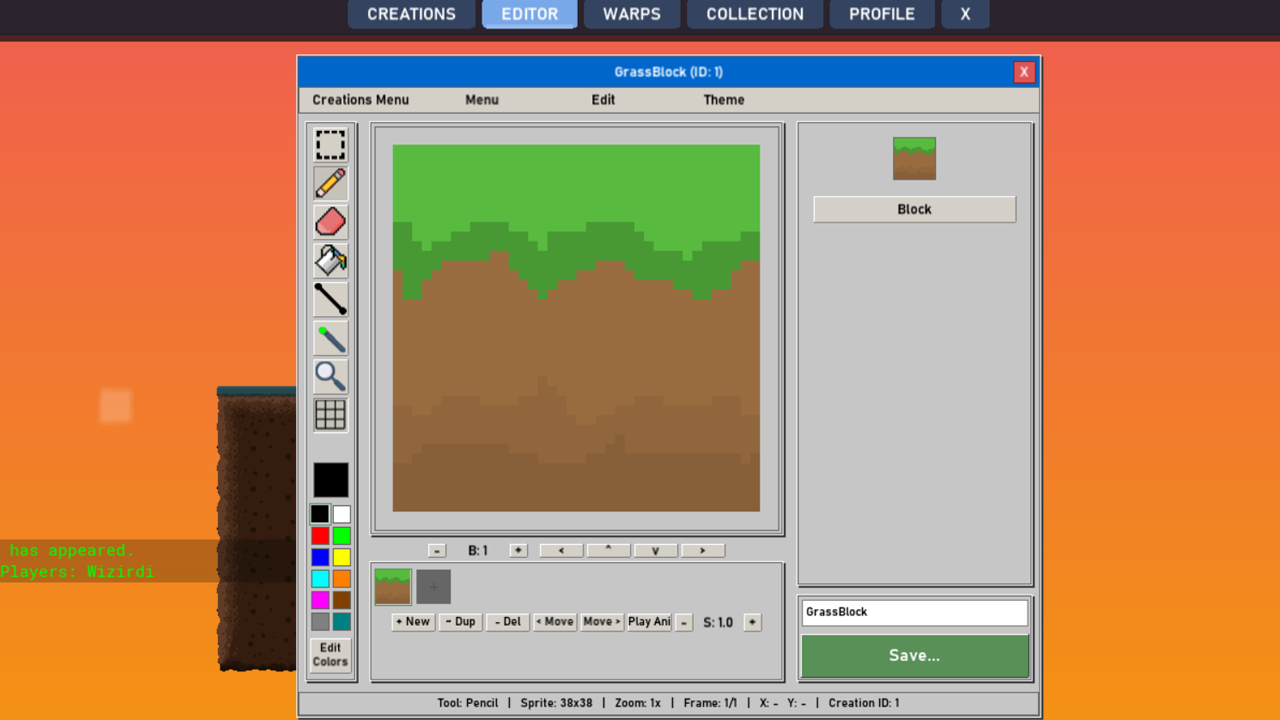
Creation Editor:
- When you exit the creation editor, it will save the creation you were working on. Upon returning you can continue working on it, or start a new one.
- Updated the 'name' field to work more smoothly.
- You must now give your creations a proper name, and cannot name them "Name"
Misc Changes & New Features:
- Faster loading when starting the game.
- New main menu area when loading in.
- Improved token recognition.
- Added Logout button.
- Updated selection and eyedropper icons in the creation editor.
- Lots of refactoring for both client and server code.
- Backend work for upcoming feature: players owning their own worlds/realms.
- Multiple menu tweaks and UI improvements.
- Fixed issue where clicking through the block/player info window would click blocks behind it.
- Giving kudo's works A LOT better. It remembers you gave them, and notifies the one you gave them to.
- Inventory menu now has an Emoji section.
- Inventory menu now has a delete section - or you can drag creations out of the window like before.
- The little emoji menu now displays creation graphics correctly, in the center of the slot.
- Hotbar has an "up" and "down" button to the left. Clicking this will let you change what part of your inventory is showing in the hotbar.
- Fixed particles appearing in front of wallpaper items.
- Fixed players infinite jumping when colliding with wallpaper items.
v0.1.8 Changelog | October 28, 2025
Menus & Buttons:
- Menus now automatically collapse the top bar or close when the screen is too small.
- Fixed issue where small GUI buttons above the hotbar could be clicked through.
- Number keys and scroll wheel no longer change the hotbar while chatting or navigating menus.
- CTRL + Scroll Wheel (zooming) no longer changes the hotbar selection.
- CTRL + Number keys now activate emojis from the corresponding slots.
New Features:
- Chat bubbles now appear above players' heads when they talk!
- Currency display added to the top-right menu selector.
- New Feedback Menu: Report bugs, submit suggestions, or report players and creations.
- New Controls Menu: View all game controls in one place.
Windows Version Improvements:
- Changes specific to the Windows version of the game.
- Added Fullscreen Toggle (F11) — works on both Windows and Browser versions.
- Added Resizable Window: No longer locked at 720p; resizing now expands your view of the world.
Layers:
- Front layer blocks now render in front of players and other blocks.
- Your character now appears as a silhouette when walking behind blocks.
- Respawning or warping resets your walk and place layers to “Main.”
- Player sprite brightness now changes depending on the active layer.
- Added zoom controls to the layer panel for easier navigation.
Renames:
- “Votes” renamed to Kudos.
- “Collection” renamed to Inventory.
Misc Fixes & Changes:
- Major GUI overhaul for cleaner, more intuitive usability.
- Added Player List button near the hotbar.
- Fixed emojis not saving when rearranging their slots.
- Fixed issue where menu music played faintly during gameplay.
- Various minor client and server bug fixes.
v0.1.7 Changelog | October 24, 2025
New Features:
- Refactored world system (backend improvements for player-owned realms)
- Fixed issue where some block sprites failed to load, improving overall loading performance
- Improved block placement — holding the left mouse button now places blocks faster; releasing resets the speed
- Adjusted player spawning to wait until all chunks are loaded before placing the player in a new area
- Made warps wait for chunks to fully load (prevents players from falling through the world)
- Updated CTRL+R respawn to avoid spawning players inside blocks
- Added automatic respawn if the player falls for too long
v0.1.6 Changelog
New Features:
- Added "Add to Friends" option
- Added Friends List (press O)
- Added Online Player List (press P)
- Added direct messaging (/msg <player_name> <message>)
- /r is still buggy - don't use
- Added player context icons above players' heads
- Added AFK and disconnect timeout system
- Saved username automatically in the login field
- Added ability to teleport to players
- Can now click players via online player list or on screen to see profile and interact (like you can with blocks)
Bug Fixes:
- Fixed skin state fallback so blank states defaulted to the standing sprite
- Fixed various server and client bugs
- Updated player profiles
- Fixed bug that caused some sprites not to load
- Should not disconnect user when they switch tabs
v0.1.5 Changelog
- Added emojis.
- Fixed editor behavior where pasting switched to the selection tool.
- Fixed selection tool in editor only selecting one pixel when left-clicked.
- Fixed editor theme text display.
- Fixed occasional server crash on login caused by JSON/PHP error.
- Added top menu bar.
- Added tutorial popup.